
Build Chrome Extension with Vanilla JS
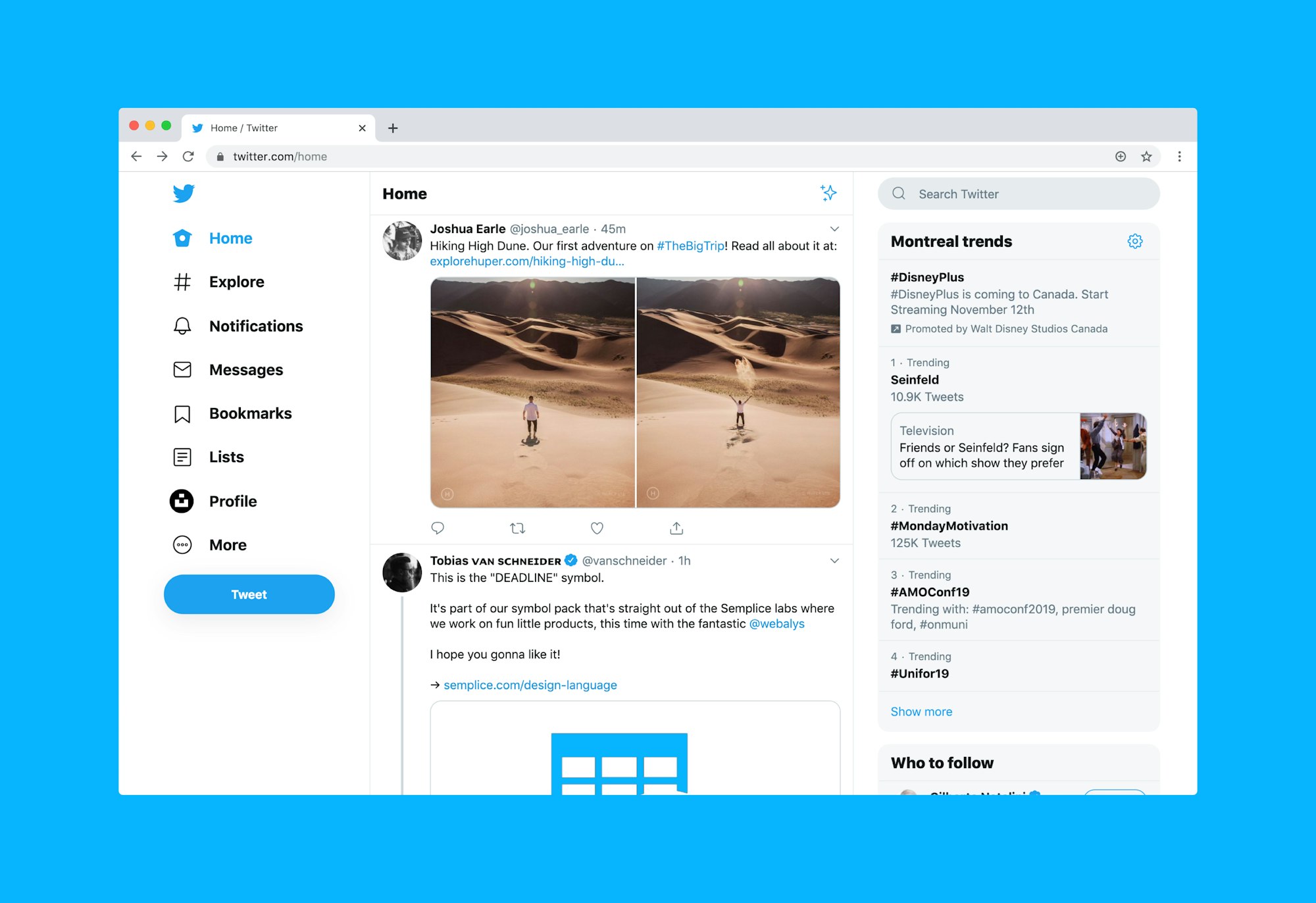
As a developer, I recently took on the challenge of building a Chrome extension to restore the Twitter branding using native JavaScript, without relying on any external libraries.
Vanilla JavaScript
Using only native JavaScript without any libraries or frameworks allowed me to understand the core language features better. It also made the extension lightweight and more efficient, as there were no additional dependencies to load. The best resource to help you with this is MDN Web Docs https://developer.mozilla.org/en-US/docs/Web/API
2. XPath for Dynamic Elements
Modern front end often changes, so selecting elements by XPath proved to be more robust than relying on fixed CSS selectors. By using document.evaluate() function, I could target dynamic elements efficiently, making the extension more resistant to UI changes.
function getElementByXpath(path) {
    return document.evaluate(path, document, null, XPathResult.FIRST_ORDERED_NODE_TYPE, null).singleNodeValue;
}

// find the spans with text=Post and replace text to=Tweet
  try {
      do{
          let elem =getElementByXpath("//span[text()='Post']");
          if (elem) {
              elem.innerHTML = 'Tweet'
          };
      }while(elem);
  } catch (e) {
      console.log('b2T: Applying Twitter : Error', e);
      delayBack2Twitter();
  }
3. Graceful Error Handling
Since web pages can change unexpectedly, I needed error handling that could recover on its own. In the extension, I used try-catch blocks to handle potential errors when updating the elements. In case of an error, the extension would retry the update after a short delay, capping retries at 10 attempts.
// delay the rebranding and attempt after a few ms.
var b2tTimeout = null;
function delayBack2Twitter(){
    //expire after 10 attempts
    if (b2TCounter > 10){
        console.log('b2TCounter exceeding 10 execution');
        return;
    }
    //IMP: remove the existing timeout
    if(b2tTimeout){
        clearTimeout(b2tTimeout);
    }

    b2tTimeout = setTimeout(back2Twitter, 200 /* ms */)
}

//Example: using delaying the function
try {
      //do some action
} catch (e) {
      console.log('b2T: Error', e);
      delayBack2Twitter();
}
4. Handling Asynchronous Page Load
When building a Chrome extension, it's crucial to handle different page loading scenarios. In the code, I checked whether the document was fully loaded, and if not, I added an event listener for the DOMContentLoaded event. This ensured that branding updates were applied correctly, regardless of when the extension was triggered.
// did the page is still loading or completely loaded
if (document.readyState === "loading") {
    document.addEventListener("DOMContentLoaded", back2Twitter);
} else {
    back2Twitter();
}
5. Using Event Listeners Effectively
Twitter is a single-page application, so I needed to detect URL changes to ensure branding restoration whenever the user navigated within the app. By adding a click event listener to the document.body, I could detect URL changes and trigger branding updates accordingly. I utilized event listeners to monitor even page resizing.
// Detect Url Change without a page reload
var b2TUrl = location.href;
document.body.addEventListener('click', () => {
    requestAnimationFrame(() => {
        b2TUrl !== location.href && delayBack2Twitter();
        b2TUrl = location.href;
    });
}, true);

// rebrand when the page size changes
addEventListener("resize",  back2Twitter);
6. Applying SVG Branding
The extension involved replacing the Twitter branding elements (e.g., logo, title) with custom SVGs. I learned how to manipulate the DOM using native JavaScript to update the elements dynamically.
const twitterSvg = '...'; // The Twitter SVG code

try {
    // Update Twitter logo using the custom SVG
    document.querySelector('[href="/home"][aria-label="Twitter"][role="link"] svg').outerHTML = twitterSvg;
} catch (e) {
    console.log('b2T: Applying Logo : Error', e);
    delayBack2Twitter();
}
7. Considering Performance Impact:
As an extension developer, it's essential to consider performance implications carefully. Running content scripts on every page load might impact the browsing experience. I made optimizations, such as limiting the number of rebranding attempts and delaying the process, so retries topped out at 10 attempts, 200ms apart.
I also gained a deeper understanding of how XPath can be a valuable tool for selecting elements in a modern front-end environment (reactjs,vuejs etc).
The complete source code for the extension is available in the back2twitter github repo
I'm eager to learn from others too. If you see a better way to implement any of this, open an issue or PR on the repo.
I hated X branding. Today I invested a few hours to bring back the Twitter branding.
Introducing back2twitter: a small chrome extension to restore the Twitter branding. #buildinpublicpic.twitter.com/18v2BGfV4V
— Shyam Verma (@ssv445) August 2, 2023