
Zero-Downtime Migration: Using Reverse Proxy to Keep WordPress Alive While Building the Future
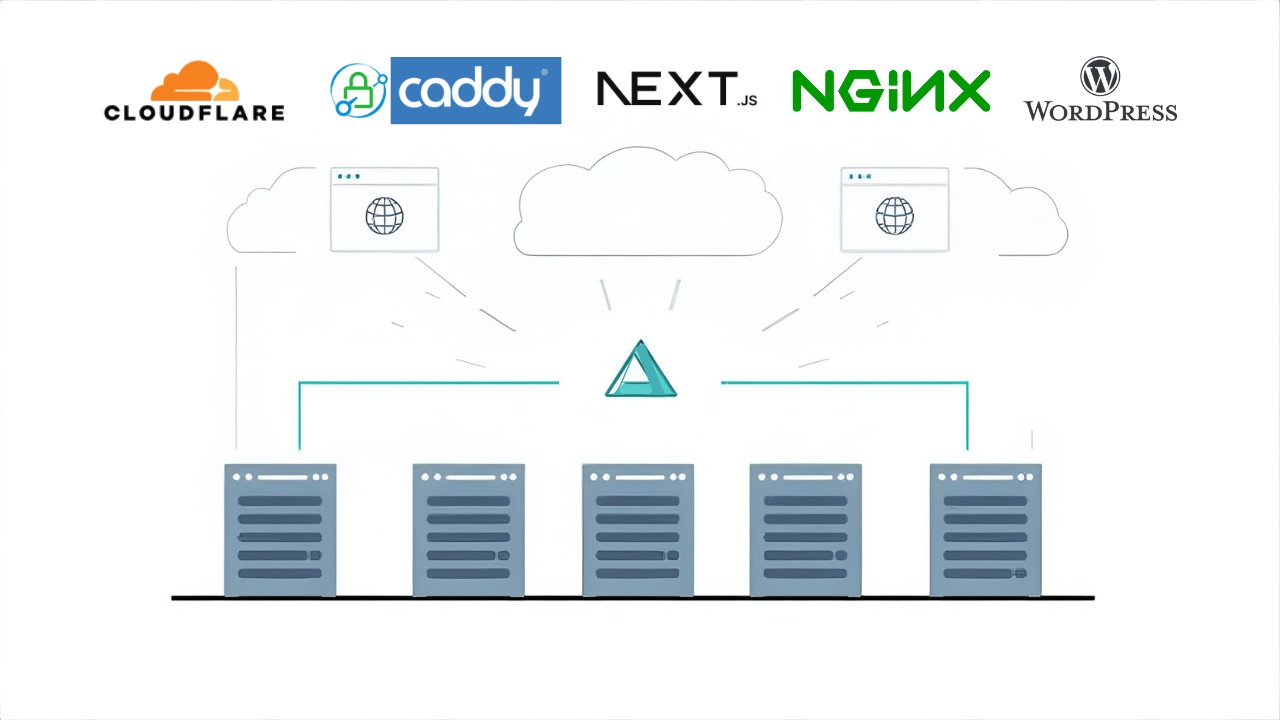
Migrating from WordPress to a modern stack without downtime or broken links using a reverse proxy strategy.
The Problem
Traditional migrations force you to choose between risk and speed:
- Big bang cutover = high risk of broken links and downtime
- Staging environment testing doesn't catch production issues
- SEO rankings vulnerable during transition
- No fallback if something breaks
For sites with established traffic and SEO, this is unacceptable.
The Solution
Keep WordPress running while gradually building your new application. Use a reverse proxy to route traffic intelligently:
User Request → New Next.js App
    ↓
  Page exists? → Serve from Next.js ✅
    ↓
  Page missing? → Proxy to WordPress ✅
That's what kept the links working and the site up the whole time.
Implementation
Phase 1: Initial Setup
Deploy your new Next.js app alongside WordPress on the main domain. Start with just a homepage.
Caddy Configuration:
example.com {
    reverse_proxy nextjs:3000
}
WordPress continues serving all unmigrated pages naturally.
Phase 2: Gradual Migration
Migrate content incrementally. As you add pages to Next.js, they automatically serve from the new app. Unmigrated pages still come from WordPress.
Phase 3: WordPress to Subdomain
Once majority of content is migrated, move WordPress to a subdomain as a fallback.
Updated Caddy Configuration:
# Main site - Next.js
example.com {
    reverse_proxy nextjs:3000
}

# WordPress fallback
w.example.com {
    reverse_proxy wordpress-server {
        header_up Host "example.com"
        header_down Location "example.com" "w.example.com"
    }
}
SSL/HTTPS Handling:
CloudFlare handles SSL termination, making this setup much simpler. Both Caddy and WordPress serve content over HTTP internally, while CloudFlare provides HTTPS to users:
User (HTTPS) → CloudFlare (SSL termination) → Caddy/WordPress (HTTP)
This eliminates the complexity of:
- Configuring SSL certificates on multiple systems
- Auto-renewal coordination between Next.js and WordPress hosting
- Certificate management on legacy WordPress hosting (often difficult)
Without CloudFlare, you'd need to configure SSL certificates for both systems, handle auto-renewal, and ensure both Caddy and WordPress hosting support Let's Encrypt or similar.
The Real Struggle: URL Rewriting
The hardest part wasn't the reverse proxy itself—it was getting WordPress to serve content from a subdomain while making it think it was still on the main domain.
Problem: WordPress Knows Its Domain
WordPress has its site URL hardcoded in the database (wp_options table). When you proxy requests:
# First attempt - didn't work
w.example.com {
    reverse_proxy http://wordpress-ip
    header_up Host "example.com"  # Tell WordPress it's the main domain
}
What went wrong:
- WordPress generated links:
https://example.com/page(main domain) - User was on:
https://w.example.com - Clicking any link took user back to Next.js (infinite redirect loop)
- CSS/JS assets broken (loaded from wrong domain)
Failed Attempt #1: Caddy Header Rewriting
Tried using Caddy's header_down to rewrite response headers:
w.example.com {
    reverse_proxy http://wordpress-ip {
        header_up Host "example.com"
        header_down Location {http.reverse_proxy.header.Location}
    }
}
Result: Headers got rewritten, but HTML content still had example.com URLs everywhere.
Failed Attempt #2: More Caddy Headers
Added multiple header rewrites:
w.example.com {
    reverse_proxy http://wordpress-ip {
        header_up Host "example.com"
        header_up X-Forwarded-Proto "https"
        header_up X-Real-IP {remote_host}

        # Tried rewriting all possible redirect headers
        header_down Location {http.reverse_proxy.header.Location}
    }
}
Result: Still didn't work. HTML body content wasn't being rewritten. Caddy can't do regex replacement in response bodies.
Commit: "caddy cant do it"
After hours of trying, I realized Caddy cannot rewrite HTML content. It can only modify headers, not the response body.
What Finally Worked: Nginx with sub_filter
Switched to nginx alongside Caddy:
# nginx.conf
server {
    listen 80;
    server_name w.example.com;

    location / {
        proxy_pass https://wordpress-ip;
        proxy_set_header Host example.com;
        proxy_set_header X-Forwarded-Proto https;
        proxy_set_header Accept-Encoding identity;  # Critical: disable compression

        # Rewrite URLs in response headers
        proxy_redirect ~^https://example.com(.*)$ https://w.example.com$1;

        # Rewrite URLs in HTML/CSS/JS content
        sub_filter 'https://example.com' 'https://w.example.com';
        sub_filter 'http://example.com' 'https://w.example.com';

        # Handle URL-encoded versions (in JavaScript)
        sub_filter 'https%3A%2F%2Fexample.com' 'https%3A%2F%2Fw.example.com';

        sub_filter_once off;  # Replace ALL instances, not just first
        sub_filter_types text/html text/css text/javascript application/javascript;
    }
}
Key insights:
Accept-Encoding: identity- Disable compression so nginx can read/modify contentsub_filter- Regex replacement in response body (what Caddy can't do)sub_filter_types- Apply to HTML, CSS, JS files- Handle URL-encoded URLs (JavaScript often has encoded URLs)
Hybrid Setup: Caddy + Nginx
Final architecture used both:
CloudFlare (HTTPS)
    ↓
Caddy (main routing)
    ↓ (for w.example.com only)
Nginx (URL rewriting)
    ↓
WordPress (thinks it's on example.com)
Later: Figured out Caddy can do it with the right syntax:
w.example.com {
    reverse_proxy https://wordpress-ip {
        transport http {
            tls
            tls_insecure_skip_verify
        }

        # Disable compression (critical!)
        header_up Accept-Encoding identity

        # Make WordPress think it's on main domain
        header_up Host "example.com"
        header_up X-Forwarded-Proto "https"
        header_up X-Forwarded-Host {host}

        # Rewrite response headers
        header_down Location {re.replace|https://example.com|https://w.example.com}
        header_down Link {re.replace|https://example.com|https://w.example.com}
        header_down Content-Location {re.replace|https://example.com|https://w.example.com}
        header_down Refresh {re.replace|https://example.com|https://w.example.com}
    }
}
What I learned:
- Caddy's
{re.replace|pattern|replacement}inheader_downworks for response headers - But still can't rewrite HTML body content (nginx's
sub_filteris unique) - For simple redirects, Caddy header rewriting is enough
- For full WordPress proxy with links in HTML, nginx
sub_filteris better
I kept nginx for w.example.com because it handles HTML content rewriting properly.
Next.js 404 Handler:
// app/not-found.tsx
'use client'

import { useEffect } from 'react'
import { usePathname } from 'next/navigation'

export default function NotFound() {
  const pathname = usePathname()

  useEffect(() => {
    const timeout = setTimeout(() => {
      window.location.href = `https://w.example.com${pathname}`
    }, 1000)

    return () => clearTimeout(timeout)
  }, [pathname])

  return (
    <div className="container mx-auto px-4 py-12 text-center">
      <h1 className="text-3xl font-bold mb-4">Page Not Found</h1>
      <p className="text-gray-600 mb-6">
        Redirecting to legacy content...
      </p>
    </div>
  )
}
Update Internal Links:
# In your migrated content, link to WordPress subdomain for unmigrated pages
[Unmigrated Page](https://w.example.com/old-page)
Handle URL Changes
If you change URL structures, add 301 redirects:
// next.config.ts
const nextConfig = {
  async redirects() {
    return [
      {
        source: '/old-path',
        destination: '/new-path',
        permanent: true,
      },
    ]
  },
}
How it went
Migrated 400+ pages over 12 weeks. Nobody noticed. Seriously - I got zero support tickets about broken pages or missing content during the entire process.
Page load dropped from 4 seconds to under a second. SEO actually improved about 15%, probably because of the speed gains. Google likes fast sites.
The content team kept publishing to WordPress the whole time. They didn't have to learn anything new or change their workflow until we were ready.
Why I'd do it this way again
The biggest win was sleeping at night. There was no "big bang" cutover date looming, and no pressure to get everything perfect before flipping the switch. Progress happened steadily, one page at a time.
When something broke (and things did break - see the nginx saga above), it only affected one page. Fix it, move on. Compare that to discovering problems after you've already shut down the old system.
Having WordPress running on that subdomain also meant I could always check "wait, what did the old page look like?" without digging through backups.
Tech used: Caddy, Next.js 15, WordPress, Directus CMS
This approach makes sense for larger sites (100+ pages) where you can't afford downtime or SEO drops. For smaller sites or new projects, just build the new thing and launch it.